Book: Basics | Lesson: How to join Craftgames
License of this Guide
© Craftgames.eu — CC BY-ND 4.0
This guide may be freely shared and redistributed in its original, unmodified form. Modifications, translations, or derivative versions may not be distributed without permission.
Get the Launcher
We recommend using the open-source Minecraft Launcher Prism Launcher↗.
With Prism Launcher, you can easily manage your Minecraft profiles and modpacks. This is especially useful since we recommend using OptiFabric for improved performance.
Install the Modpack
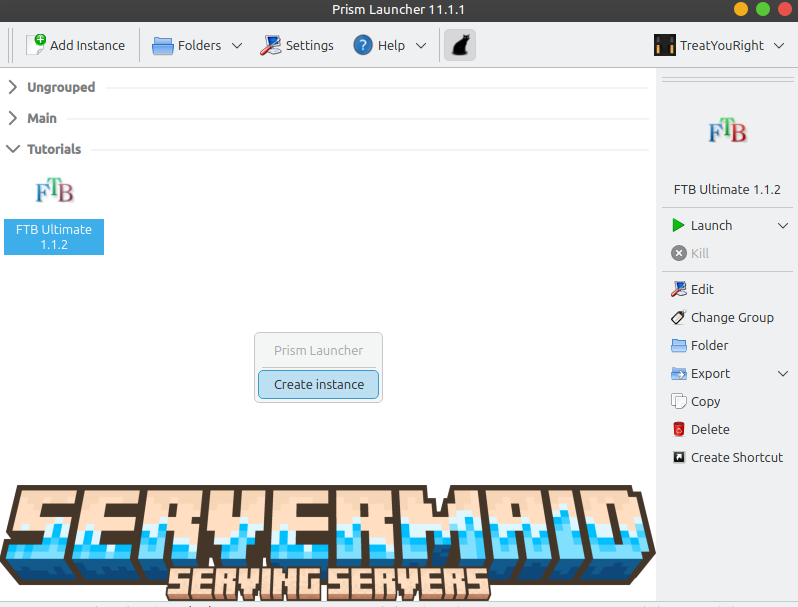
After logging into the launcher, right-click anywhere in the instance list and select "Create Instance":
In the next window, select "CurseForge", search for OptiFabric, and select version 6.11.4 for Minecraft 1.21.11:
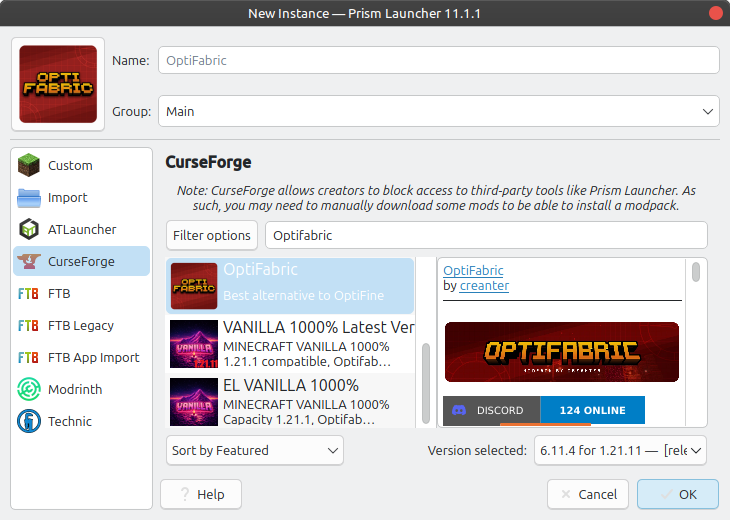
Click "OK" to confirm. Prism Launcher will automatically download all required files.
OptiFabric can significantly improve Minecraft's performance.
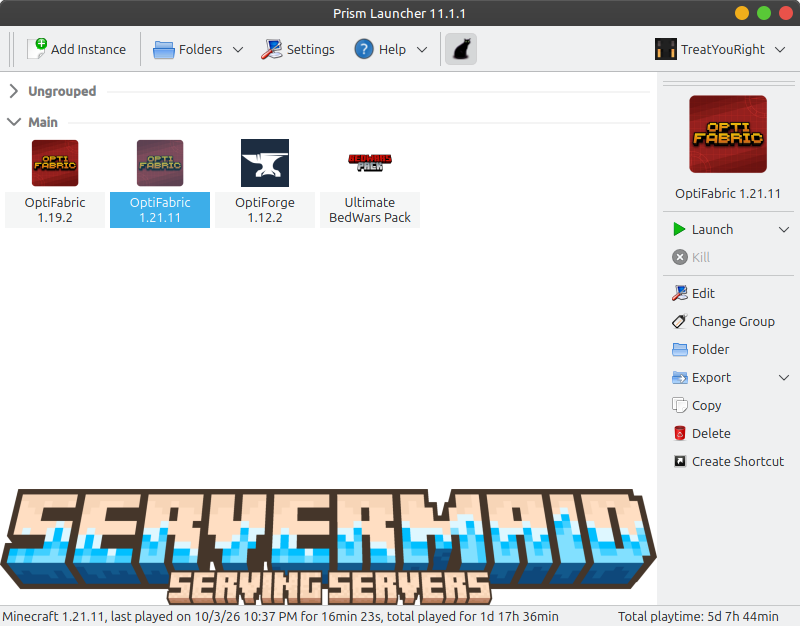
Once everything has been downloaded, double-click the newly created instance to launch Minecraft:
Connect to the Server
Once Minecraft has started, open the Multiplayer menu and select "Add Server".
You can choose any name for the server. For the server address, enter:
rp.craftgames.eu
Click "Done" and you're ready to play!
You can now join CraftGames and enjoy the server with significantly improved performance.